Letters and certificates on your own letterhead
Your letterhead.Your layout.Your record.
Issue letters, certificates and invoices on your own letterhead. Place your logo, stamp, signature and wording where you want them on the page, and issue a PDF that is kept as issued.
Not yet released. Planned for Windows, Mac, the web, iPhone and iPad.
- WindowsNot yet released
- MacNot yet released
- WebNot yet released
- iPhone and iPadNot yet released

Issued as CERT-0012. Saved to the register.
Letters and certificates
Letters and certificates that look like yours.
Each document type starts from a tidy layout on your own letterhead, with your logo, your signature and your wording. Start a letter or certificate from a starter wording, then change every word of it.
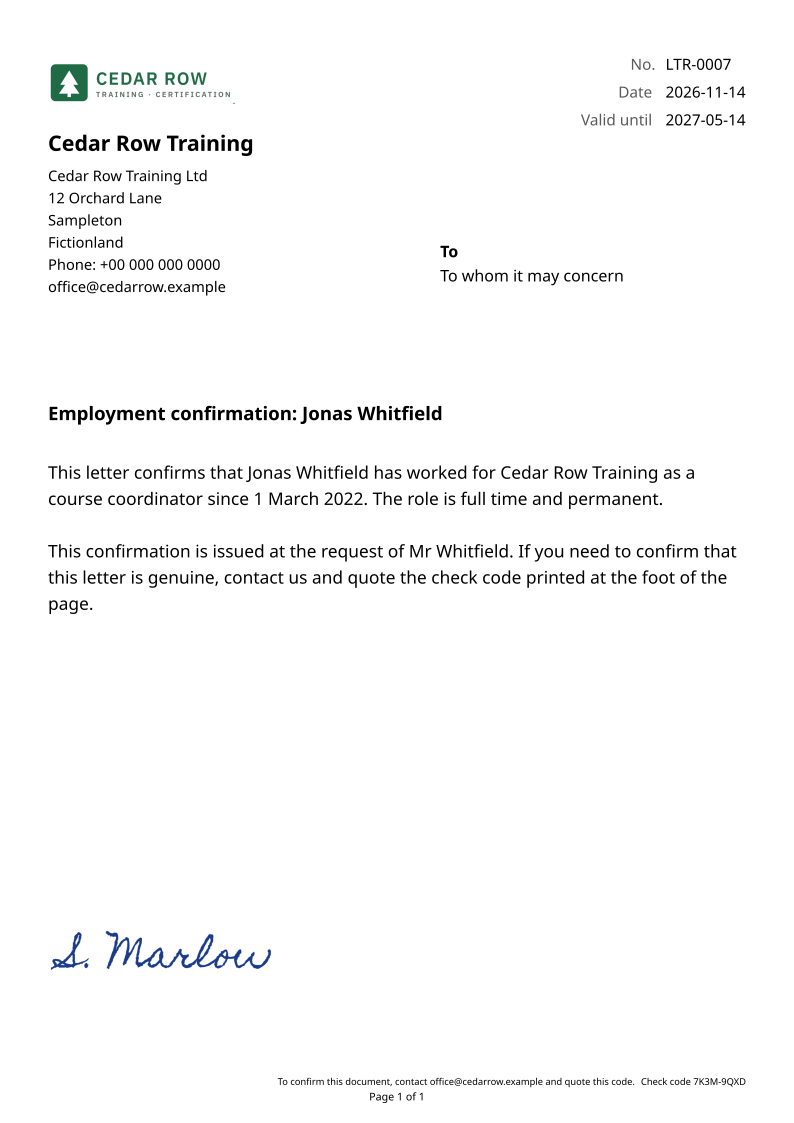
Eight starter wordings
Each one is editable and comes with fields that fill in.
- Employment confirmation
- Salary certificate
- Experience letter
- No-objection letter
- Reference letter
- Certificate of completion
- Certificate of attendance
- Certificate of appreciation
The register
Numbered, kept and checkable.
Every document you issue is numbered, stored as the exact PDF you sent and recorded in the register. You can find it later and check it against what you issued.
Numbers you can trust
A draft takes no number. Issuing takes the next one and keeps it: an issued number is never reused, and a voided document keeps its number.
Kept as issued
The issued PDF is stored as the record, so editing your details later does not rewrite what you already sent.
Check a document
Drop a PDF on Check a document to see whether it is the one you issued, unchanged.
A check code on the page
Print a check code on the page. Anyone holding the document can contact you and quote the code, and you confirm it in Issue Doc.
Valid until
Print a valid until date on a letter or certificate. It is kept in the register, and Check tells you when a document has expired.
Named signers
Choose who signs each document, with a name, a title and a signature image. The register records who signed.
Register
| Number | Document | Issued | Valid until | Signed by |
|---|---|---|---|---|
| CERT-0012 | Certificate of completion | 14 Nov 2026 | 14 Nov 2027 | S. Marlow |
| LTR-0007 | Employment confirmation | 14 Nov 2026 | 14 May 2027 | S. Marlow |
| INV-0031 | Invoice | 14 Nov 2026 | S. Marlow |
Check a document
CERT-0012.pdf
Issued by you, unchanged.
Your page
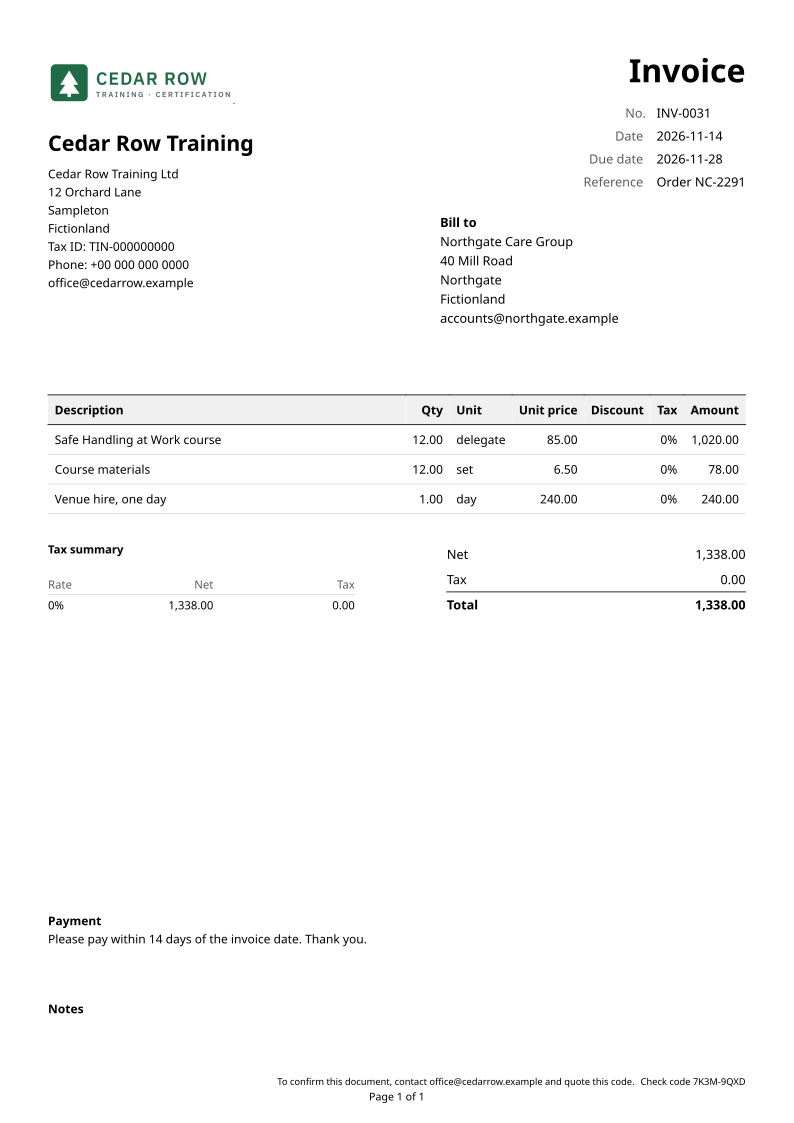
Place every block, then issue the PDF.
Drag, resize and layer any part of the page: your details, the other party's details, dates and number, the line table, totals, notes, page numbers, free text, rules and spacers. Retype any printed label, snap blocks into line, undo a change, and print on A4 or Letter.
The preview is the PDF
One typesetting engine draws both, so what you placed is what prints. Before you issue, Issue Doc warns you about empty fields and text that will not fit its box.
Issued as PDF/A
New documents are issued as PDF/A, the archival PDF standard.
Invoices and more
Letter, Certificate, Invoice, Estimate, Credit note, Delivery note, Payment receipt, Purchase order and Blank come ready to use and to change, each with its own number series and prefix. You can make your own types as well.
Keep track without keeping books
Mark documents sent, paid, part-paid or void, record payments, issue payment receipts, and turn an accepted estimate into an invoice in one step.
What it will not do
Issue Doc is not accounting software.
- It keeps no ledger, posts no journal entries and prepares no VAT or sales-tax return.
- It produces PDF documents, not e-invoices for a government e-invoicing system.
- It does not send email, take payments or connect to a bank. You share the PDF yourself.
- On Windows and Mac it has no account and does not sync. A setup file moves your letterheads and document types to another computer, and a backup pack moves your clients and documents too.
Buying it
One purchase, not a subscription.
- Try every feature free for 30 days on Windows and Mac.
- Then buy it once. There is no subscription.
- A purchase on one store does not unlock the app on the other.
- On Windows, the PDFs you issued stay in your Documents folder whatever you decide.
Platforms
Planned for five places, released on none yet.
- WindowsNot yet releasedA 30-day free trial with every feature, then a one-time purchase.
- MacNot yet releasedFree to download, with a free 30-day trial you start in the app, then a one-time purchase.
- WebNot yet releasedPlanned.
- iPhone and iPadNot yet releasedPlanned.
Questions
Questions
When can I use it?
Issue Doc is not yet released on any store or on the web. Leave your email below and we will tell you when you can open it.
Where are my documents kept?
On Windows, Issue Doc saves each issued PDF as an ordinary file in your Documents folder, one folder per business, ready to attach, print or share. On Mac it saves them in the folder you choose.
Can I move to another computer?
Yes. A setup file moves your letterheads and document types to another computer, and a backup pack moves your clients and documents too.
Can I use it for invoices?
Yes. Invoices, estimates, credit notes, delivery notes, payment receipts and purchase orders are all there, laid out on your own letterhead. Letters and certificates come first, with invoices beside them.
Does it send the documents for me?
No. It does not send email or take payments. You attach, print or share the PDF yourself.
Is it accounting software?
No. It keeps no ledger and prepares no VAT or sales-tax return. It keeps what you issued.
What happens after the 30 days?
A one-time purchase keeps you issuing new documents, with no subscription. On Mac, everything you already made stays available to view, search and export.
Open Issue Doc
Issue Doc is not yet released. Leave your email and we will tell you when you can open it.
About one email a month, each a closer look at one of our apps, with free trials and launch news. You can leave at any time through the link in each email. Hardbound Studio keeps the list.